Reverse Detector
The Reverse Detector automatically identifies when the vehicle is travelling backwards. To activate it: Guidance > Reverse detector > Option: Detect reverse > Yes
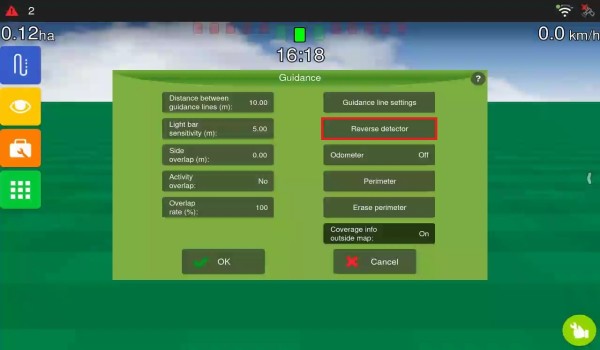
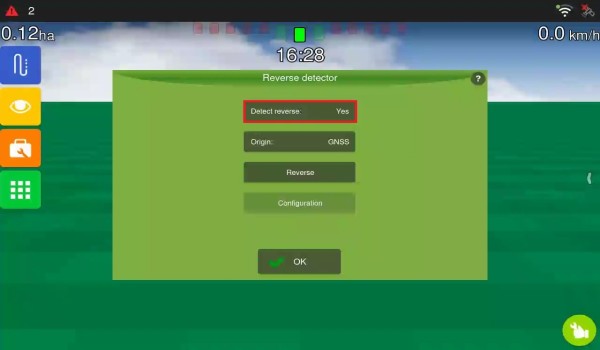
-
On the operation screen, a red backward arrow appears when reverse movement is detected, and a green forward arrow appears for 10 seconds when forward movement is detected.
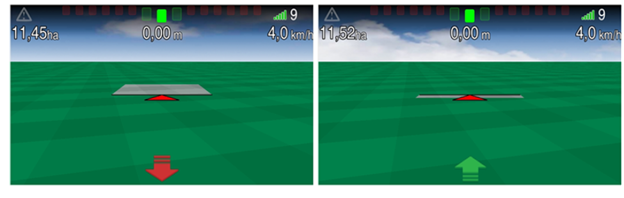
-
If the direction shown on the screen is inverted in relation to the actual movement, simply press the arrow on the screen to correct it.
-
It is recommended to keep the Reverse Detector active, which is the system default, for correct track marking and for Auto-steering operation.
False movements may occur during the first GNSS synchronisation or after the vehicle has remained stationary for a long time.