Initial Settings
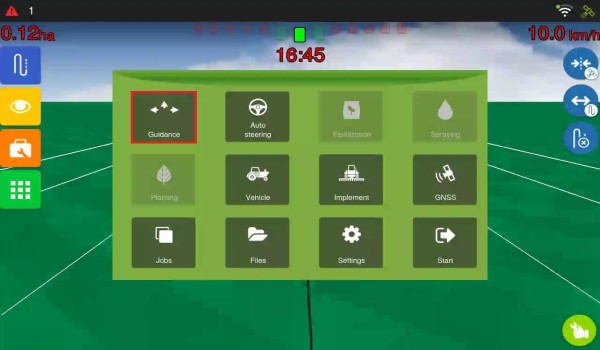
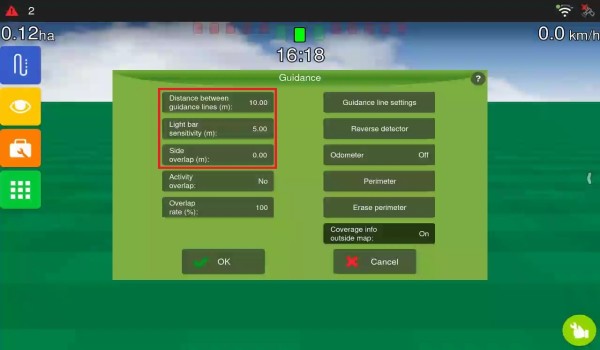
To change the virtual guidance parameters, access Guidance in the Settings menu, select the required parameter, enter the values, and press OK.
-
Distance between guidance lines (in metres): Defines the pass width according to the selected implement.
-
Light bar sensitivity (in metres): Determines the deviation required to light up one LED on the lightbar. This value is associated with the 5 central LEDs; the others divide the remaining width between them. For greater sensitivity, reduce the spacing; for lower sensitivity, increase it. Example: for 15 centimetres of sensitivity, enter 0.15.
-
Side overlap (in metres): Defines how much the application should overlap. Widely used with spraying implements to avoid gaps between passes.