Working With an Active Guidance Line
When a guidance line is loaded, three tools become available:
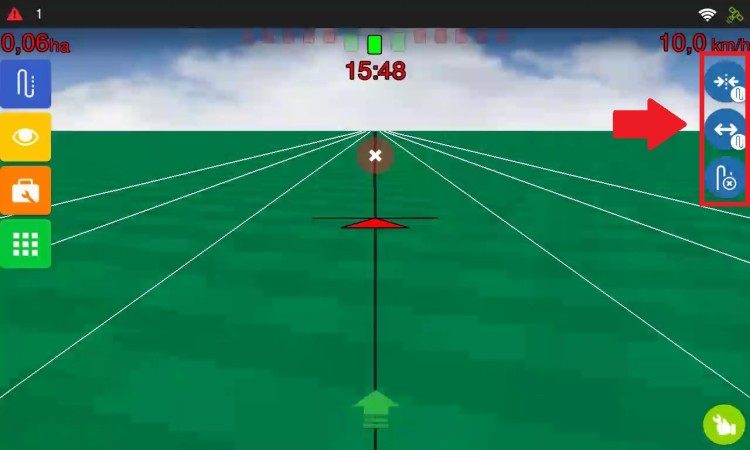
- Realign: Use this when, after resuming operation following a pause, the guidance line is not aligned with the vehicle’s real position. Depending on the chosen setting, the system adjusts the GNSS position or creates an aligned guidance line. To reuse guidance lines, choose the mode that creates a guidance line.
-
Manual adjustment: This setting allows you to correct the position of the guidance line during operation. In GNSS mode, the system shifts the guidance line by 2 cm with each tap, to the left or right. Use this when the guidance line is slightly out of position and you want to correct it gradually, without entering a distance.
In Guidance Line Offset mode, the operator enters the required distance and direction, and the system creates a guidance line at that location, keeping the original guidance line and its saved parallels. Use this when you know exactly how far you need to shift it, such as when entering a swath with different spacing because of a road or irrigation.
- Deactivate guide: Unloads the active guidance line from the field. It does not delete the guidance line from the system. You can load it again, or create/load another one through Guidance Line Manager.