How to Configure Auto Turn and Its Patterns
What Settings Are Available in the Auto Turn Menu?
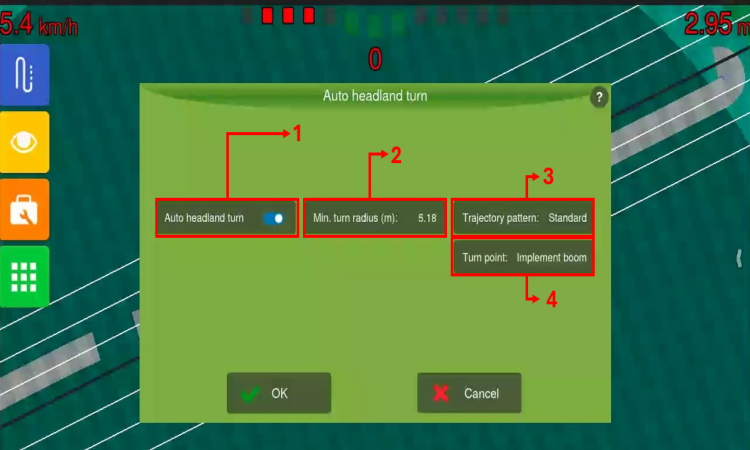
The Auto Headland Turn menu offers the following options:
-
Enable/Disable button: used to enable or disable the Auto Turn at headland feature. When enabled, maneuvers are triggered when the Turn Point (4) reaches the inner headland boundaries, following a sequence defined by a Trajectory Pattern (3).
-
Minimum turning radius: used as a reference by the control system for the maximum feasible curvature of a maneuver. This value is automatically defined based on the vehicle’s maximum wheel angle and the auto steering steering-wheel configuration.
-
Trajectory pattern: a sequence of maneuvers with different profiles.
-
Turn point: a reference point that will trigger a maneuver when it reaches the inner headland boundary.
Configure the Desired Trajectory Pattern
The system is capable of performing maneuvers in three different sequences.
-
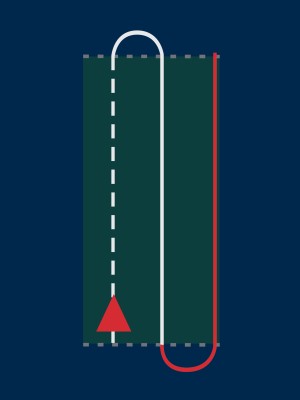
Standard: when selected, this pattern executes a simple sequence of progressive curves, as illustrated below. This mode allows you to configure the number of skips; for more information, see How to Configure Standard Pattern.
-
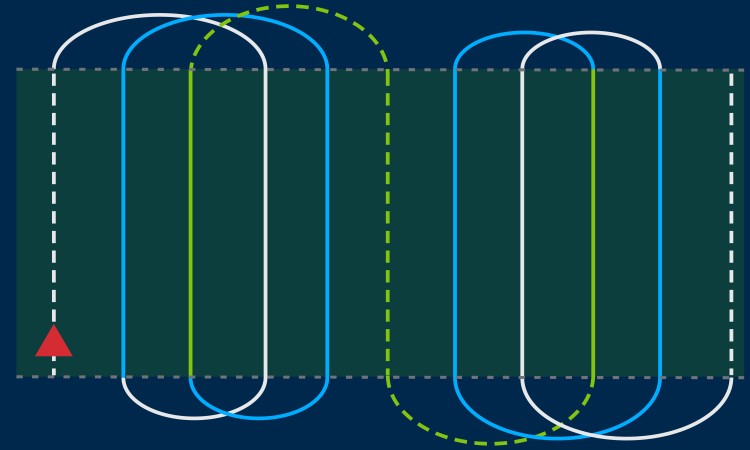
Continuous: when selected, this pattern executes a sequence of progressive curves, as illustrated below.
-
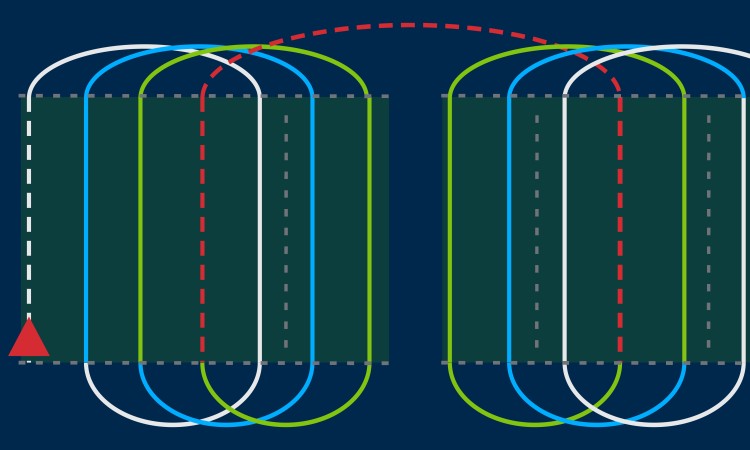
Alternating: when selected, this pattern executes progressive curves in sequence, alternating the entry/exit direction between successive maneuvers, as illustrated below.