Alarms
When using the ISOBUS ECU, alarms will be presented in two different formats:
-
Alarm acknowledgment
-
Alarm view

Now, you'll learn more about alarm acknowledgment and alarm view.
Alarm Acknowledgment
The alarm acknowledgment shows implement alarms and appears when a critical alarm is triggered. During operation, these alarms are automatically displayed on the screen to ensure you are promptly informed of any issues.
Below you can find the alarm types and display behavior:
-
Error alarms: Displayed in red, they beep audibly and remain visible on the alarm bar until they are manually cleared.
-
Warning alarms: Displayed in orange and can be hidden by clicking on them.
-
Information alarms: Displayed in yellow and can be hidden by clicking on them.
The alarms are displayed according to their severity. Error alarms take priority over all others; while warning and information alarms are shown in the order they are received.
Alarm View
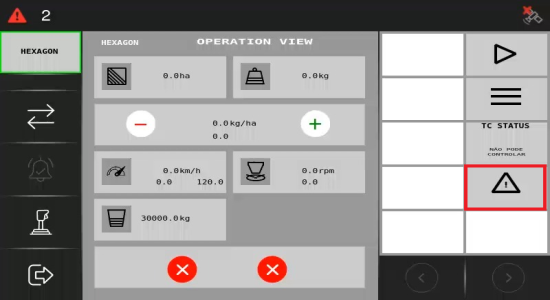
Click on the alert icon on the right-hand side to access all active alarms and obtain more detailed information on troubleshooting the problem.
Having explored the main screen and how alerts function, you will now go through the Configurations menu.
-