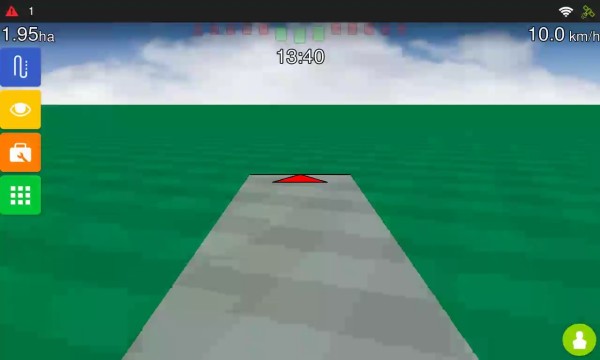
Simulated Speed
The Simulated Speed is a feature that allows you to simulate the tractor's movement on the operation screen without moving the GNSS receiver. The feature can operate in two modes:
-
Manual speed mode, with GNSS disabled.
-
File simulation mode, using the GNSS Simulator.
Prerequisite
Before using either mode, you must enable the Advanced Mode:
-
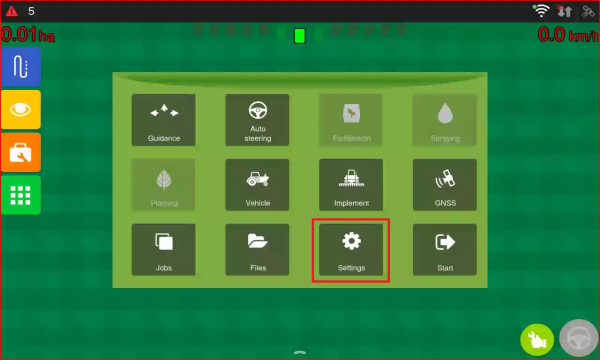
Go to Settings.
-
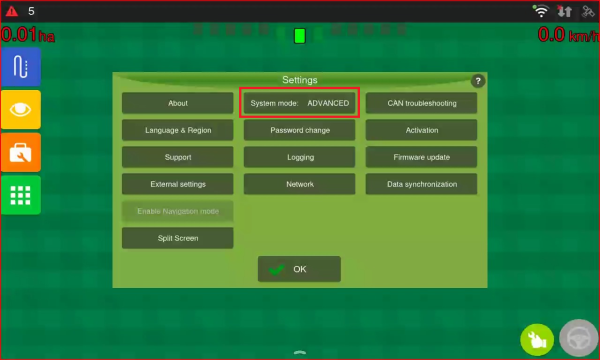
Change the System Mode from Normal to Advanced by tapping the button.
- Return to the previous screen.
Speed Manual Mode
Use this mode when you only need to simulate speed on the operation screen.
-
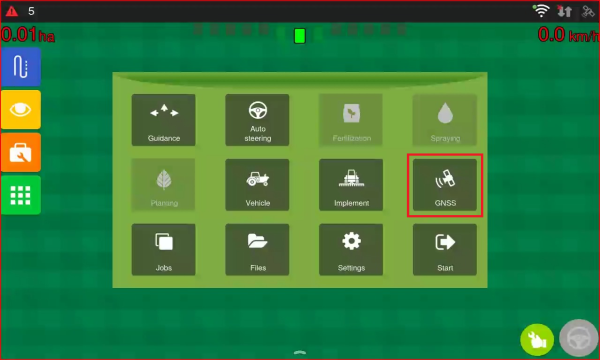
Go to the GNSS menu.
-
Select the Disable GNSS option.
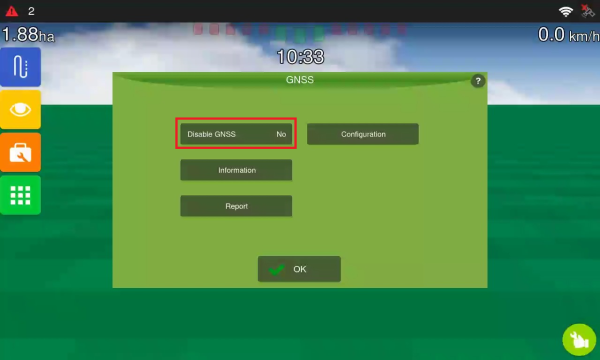
-
Check the message stating that GNSS has been disabled.
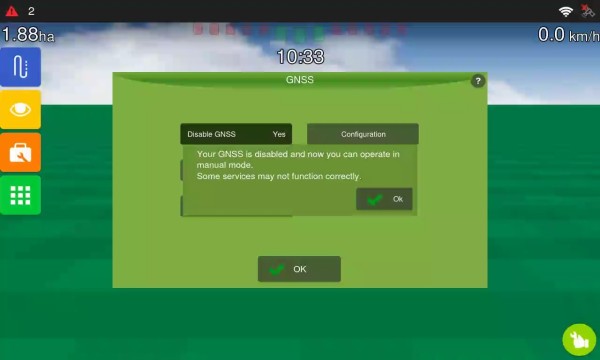
- Return to the operation screen.
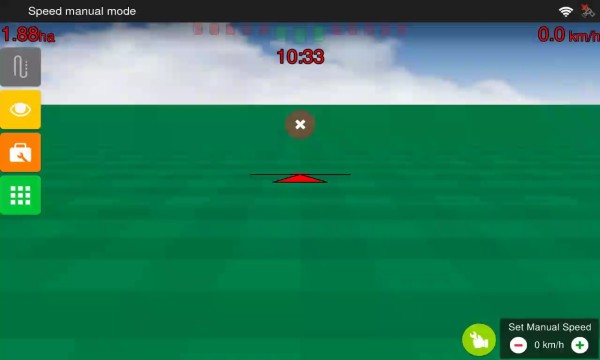
-
Adjust the speed using the manual speed control displayed on the screen.
Simulation Via GNSS Simulator File
Use this mode when you need to Simulate Speed behaviour and GNSS data from a simulation file.
-
Go to GNSS.
-
Open Configuration.
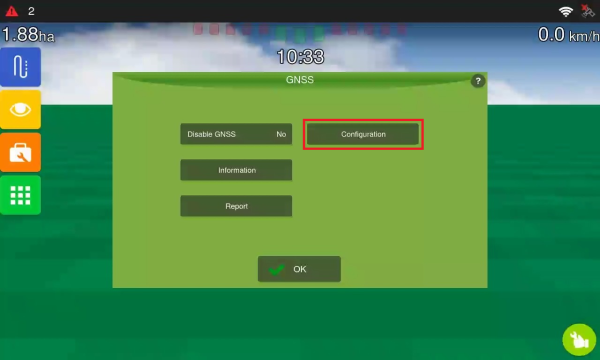
- Under Port, select Simulator.
-
Under Model, select Simulator.
-
Open GNSS Simulator.
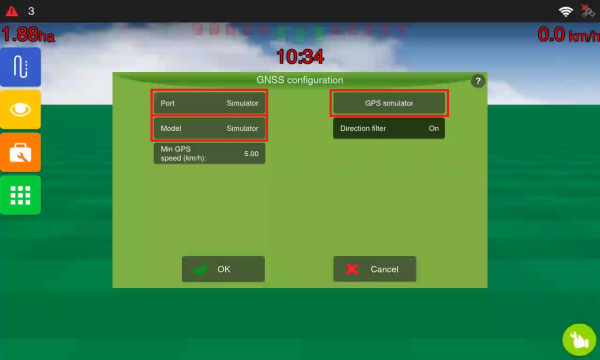
-
Select the desired simulation file.
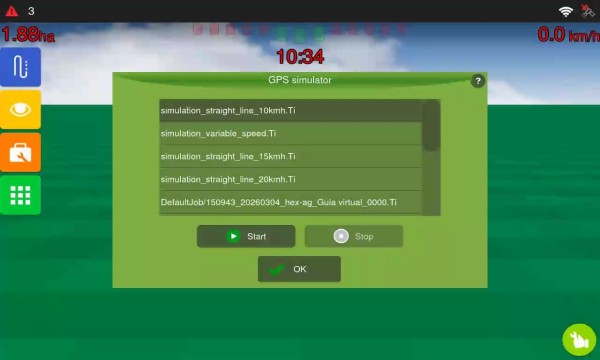 Tip: Bear in mind that the list includes several simulators with different speeds and patterns. Choose the one that best suits your needs.
 -
Press Start.
-
Return to the operation screen and confirm that the simulation has been applied.