How to Use Auto Turn
In this article, you will learn how to perform the initial setup for Auto Turn.
How to Use Auto Turn
- Define a guidance line map or set up guidance lines for the operation.
-
Select a map for the operation or define a boundary.
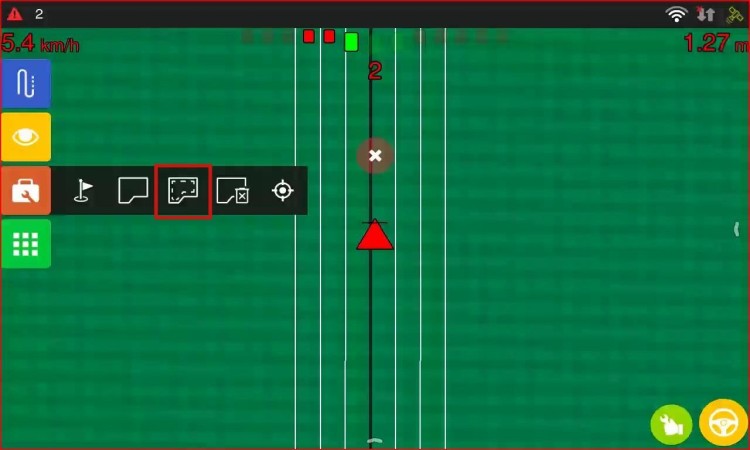
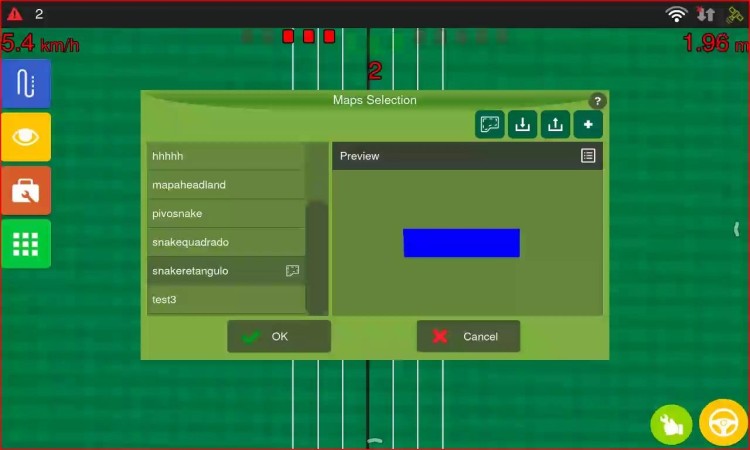
-
Set up the headland configurations in Headland Settings.
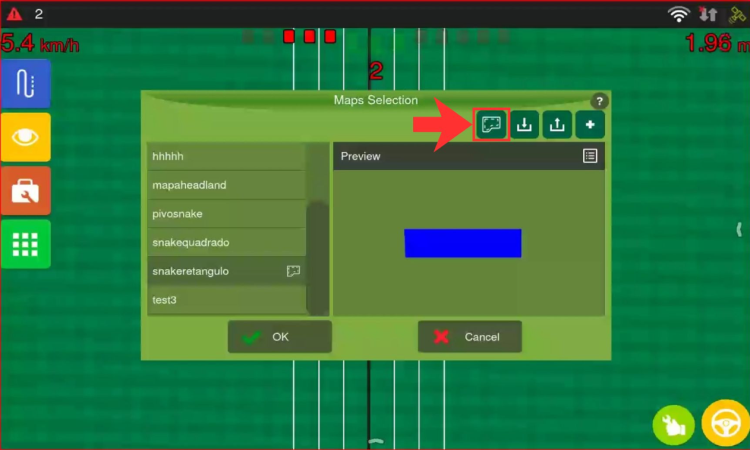
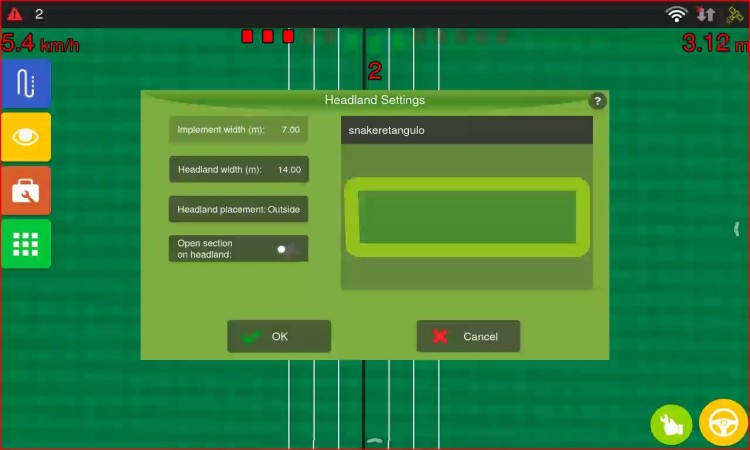
-
After defining the workable area, access the Auto Steering options in the menu.
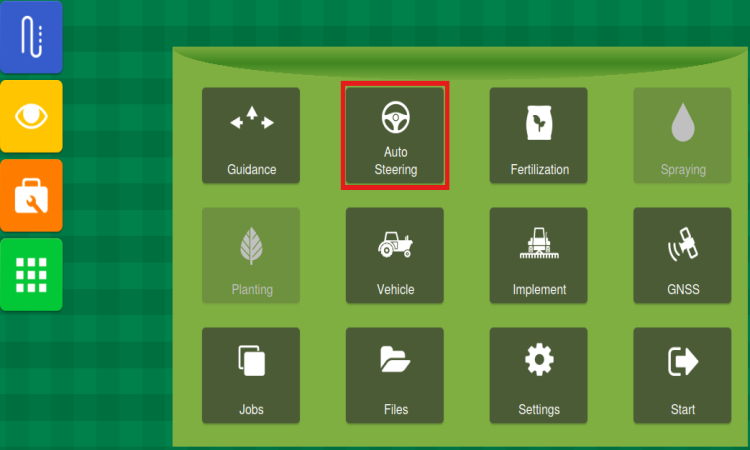
-
Enable Auto Steering. Then access the General config.
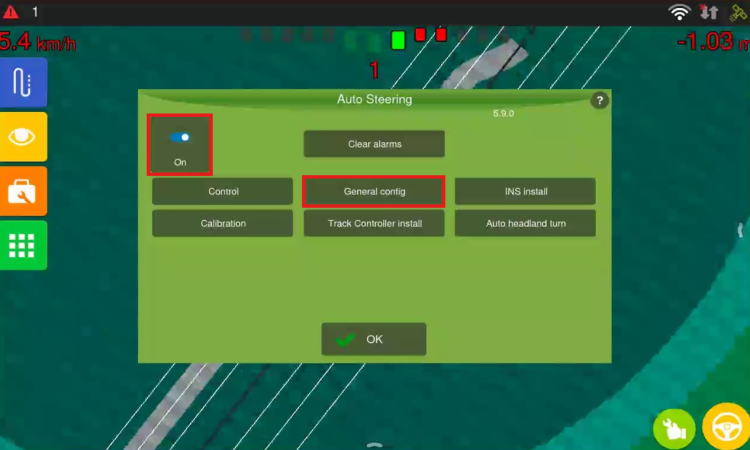
-
Enable the Predictive trajectory option.

-
Return to the Auto Steering settings and click the Auto headland turn button.
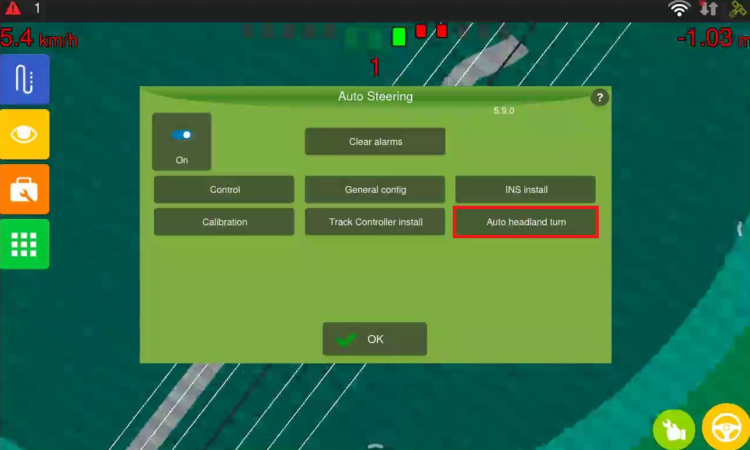
Access Trajectory Settings and Patterns to calibrate operating patterns.